


Hosted PBX Pricing vs. Hardware: Cloud VoIP ROI
By: Derek Harris | Dialvice CEO | 30+ years’ experience
👉 5 mins saves you 15+ hours!
Updated July 31, 2026
Is your business phone system an asset or liability?
The traditional math for business communications has flipped. For decades, the “safe” play was to buy the hardware, own the wires, and control the box.
But today, high-speed fiber is everywhere and AI features are mandatory.
Owning your own phone hardware now is like maintaining a fleet of vans when everyone else is using a high-performance ride-share service.
You’re left holding the keys to a depreciating, high-maintenance asset while your competitors stay agile.
This guide cuts through the marketing fluff to break down the CapEx vs. OpEx math of modern telephony.
Whether you’re a CFO or a founder, this is your blueprint for deciding when to cut the cord on legacy hardware and pivot to the cloud.
———————
👉 Evaluating your infrastructure? Start with our Complete Cloud Phone System Guide to get a complete roadmap or see why CFOs choose subscriptions over hardware to understand the move from CapEx to OpEx.
Buyer’s shortcut 🔥
Skip the sales pitch & spam.
Take the Dialvice 5-Minute Quiz to find your precise Cloud Phone System.
75% of buyers prefer a “rep-free” experience, Gartner.
Key Takeaways & Quick Links
- The Upfront Gap: Legacy systems require $500–$1,500 per user in hardware/licensing. Cloud VoIP averages $0–$50 upfront.
- Maintenance Math: Hardware systems average 12.5% of the original purchase price in annual maintenance. Cloud maintenance is $0.
- Tax Efficiency: Cloud subscriptions are typically 100% deductible in the year the expense occurs.
- Energy Recovery: Removing a physical PBX server saves the average SMB $450–$900 per year in electricity and cooling costs.
- The Connectivity Gap: ROI disappears if your local internet can’t handle voice.
- The “Tech Debt” Tax: On-premises systems lose 20% of their functional value annually as software pulls ahead.
👉 Sicker Price: For a direct breakdown of monthly tiers and line costs, see our Hosted PBX Pricing: Cloud vs On-Premises guide.
Professional Services scenario: An AEC firm’s $22,000 “gut punch”
Consider a mid-sized Architectural, Engineering & Construction (AEC) firm in suburban Chicago running on an aging on-premises box.
Wanting to “own” the asset, the managing principal buys a refreshed hardware system: $18,000 for the server/handsets, plus $4,000 for installation. Total gut punch: $22,000.
They assumed their costs would drop to nothing, but the hidden expenses quickly added up:
- Ongoing line fees: $450/month ($150 each for three local SIP lines).
- Maintenance risks: A $950 emergency repair bill when a power surge fried a line card six months later.
The Cloud Alternative: Moving to a cloud phone system required $0 upfront (using free rental phones). With a flat monthly bill of $450, the cloud path saved them $16,000 in liquid cash in year one alone.
That is capital better spent funding high-end CAD workstations or launching a marketing campaign to win new commercial bids.
They didn’t just buy a phone system; they bought an opportunity cost.
Hardware CapEx: The “Ownership” Trap
Buying hardware feels like building equity. In reality, it’s closer to buying a laptop—the moment it leaves the box, its value craters.
When you go the CapEx route, you are betting that your business won’t change for five to seven years. That is a dangerous gamble. If you buy a 20-user system and suddenly land a contract that requires 10 more staff, you often hit a “port limit.”
This forces a “forklift upgrade” where you have to toss out the old server and buy a bigger one.
The real kicker is the proprietary lock-in. When you buy Brand X’s server, you must buy Brand X’s $300 desk phones. You are stuck in their ecosystem, paying their “certified” technicians for every minor move, add, or change.
💡 Derek’s Pro Tip: Always ask for the “End of Life” (EOL) date on any hardware quote. If a vendor is pushing a specific server model, they might be trying to dump old inventory that won’t support next year’s security patches.
👉 Related guide: On-Premises PBX End-of-Life Financial Risks
The Utility Model: Why CFOs Prefer OpEx
The cloud turns your phone system into a utility, much like water or power. You pay for what you consume, and not a penny more. This transition to Unified Communications (UCaaS) allows for a more agile financial model.
From a balance sheet perspective, a subscription is an operating expenditure. This is a dream for financial controllers because it removes variance.
You know exactly what the bill will be next month. There are no surprise invoices for motherboard replacements or “software maintenance agreements.”
Beyond the predictability, you gain zero-waste scaling.
Hire a summer intern? Add a seat for $25. Intern goes back to school. Delete the seat instantly. Open a satellite office? Plug in a phone and it’s live in 30 seconds.
This flexibility is worth more than the dial tone itself. It allows your business to breathe.
Are you Microsoft Teams user? Explore 3rd-party voice integration for advanced features, cost savings and reliability/support.
👉 Further reading: VoIP Subscription OpEx Tax Deductions Rules

Granular Math: The “Hidden” Costs of On-Premises
To get an honest ROI, we have to look at the expenses that don’t show up on the initial quote.
The Power Drain
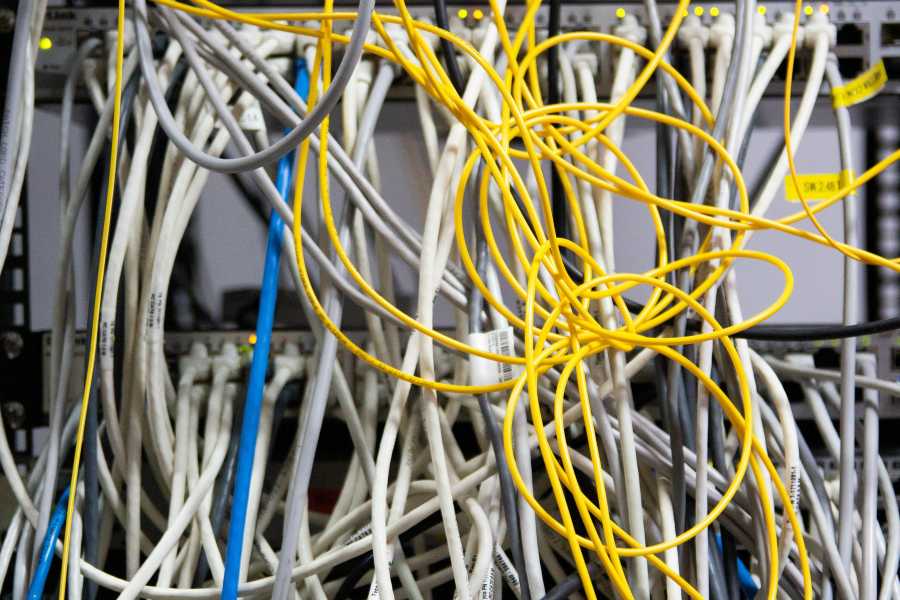
A physical server in a closet isn’t just a box; it’s a space heater. It requires 24/7 power and dedicated cooling. If that closet gets too hot, the system throttles or dies.
In an energy market, running a legacy PBX can add $60 a month to your electric bill. That’s $720 a year you’re paying just to keep the lights blinking.
The Security Burden
If you own the hardware, you are the Chief Security Officer. You have to manage the firewall, close the ports, and prevent “Toll Fraud.” If a hacker breaks into your on-site system and runs up $5,000 in calls to Somalia, you owe that money.
In a cloud model, the provider manages the encryption and security layers. If they get hacked, it’s their liability, not yours. Many organizations are realizing that basic phone security is only one part of their larger Cybersecurity strategy.
The IT Opportunity Cost
Every hour your IT person spends “punching down wires” or rebooting a frozen phone server is an hour they aren’t improving your cybersecurity or optimizing your database.
For an SMB, IT time is the most expensive resource you have. Cloud VoIP offloads the “donkey work” to the provider’s engineers.
👉 Read: On-Premises PBX Toll Fraud Liability Traps
When the Cloud Might Fail You: The Edge Cases
That said, I wouldn’t be a good broker if I didn’t tell you the downsides. Cloud VoIP is not a magic wand.
The Connectivity Gap: The real threat to Cloud ROI is a poor local network. If your office is in a rural area with 10Mbps DSL and no fiber options, your voice quality will be garbage. You’ll experience jitter, dropped calls, and “robot voice.”
In this specific scenario, an on-premises system—or a hybrid approach—actually provides a better ROI because “bad audio” costs you customers.
To mitigate this, some businesses invest in SD-WAN to ensure their voice traffic stays prioritized over the public internet.
Legacy Analog Requirements: Another edge case involves highly specialized analog needs. You may have a massive warehouse with 40-year-old overhead paging systems or elevator phones that require “dry pairs”.
The cost of converting all those to IP might temporarily outweigh the subscription savings. In these instances, a proper POTS Replacement strategy is required to bridge the gap between old copper and new fiber.
Step-by-Step: How to Audit Your Current ROI
If you want to present a case to your board or partners, follow these steps to find your “True Cost of Ownership.”
- Gather 12 months of bills: Include the phone lines (PRI/POTS/SIP) AND the internet bill.
- Audit your “Truck Rolls”: Look at your accounting software for any payments to “Telecom Services” or “Repair.”
- Calculate Power Consumption: Average the wattage of your server and multiply by your local kWh rate.
- Count your “Ghost Seats”: How many desks have phones that haven’t been used in three months? You’re paying for those.
- Estimate Downtime: What is your gross revenue per hour? If your phones go down for 4 hours, what is that number? Gartner has historically noted that the soft costs of downtime often exceed the hard costs of the technology itself.
The sum of these is your current baseline. Compare that to a flat $25-$35 per user cloud quote. The gap is usually shocking.
💡 Derek’s Pro Tip: Don’t rush to buy desk phones and headsets. Some of our partners may include them in the upgrade or you can lease them. This keeps the hardware off your books and ensures you get the newest model every three years.
The Cost of Inaction: Why Waiting is Expensive
The most common mistake I see is the “wait and see” approach. Business owners think that as long as the old box is working, it’s free.
It isn’t free. It’s an anchor.
Every day you stay on a legacy system, you miss out on AI Features that drive operational efficiency. Modern cloud systems now transcribe calls, analyze customer sentiment, and automatically log notes into your CRM.
If your staff spends just 30 minutes a day on manual data entry that a cloud phone could do in 3 seconds, you are losing $4,000+ per employee, per year in productivity.
According to Statista, this demand for cross-platform automation is exactly why the global market is abandoning traditional hardware.
That is the true “cost of inaction.” You aren’t just paying for dial tones; you are paying for the lack of automation. By offloading your physical hardware to the cloud, you stop managing “boxes” and start scaling your business.
👉 Next step? Take the Dialvice 5-minute Quiz to identify your precise needs.
Frequently Asked Questions
Can I use my existing internet for a Cloud VoIP system?
Yes, provided you have at least 100Kbps of dedicated upload speed per concurrent call. Most modern fiber or cable business tiers handle this easily. However, you should use a router with Quality of Service (QoS) settings to prioritize voice over large file downloads.
Guidance from FCC.gov emphasizes that network congestion is the primary cause of VoIP quality issues.
Is the ROI different for a 5-person office vs. a 50-person office?
The “per-user” savings are actually higher for very small offices because they avoid the high entry cost of a physical server. For a 50-person office, the savings come more from “Scalability” and the elimination of a full-time “phone guy” on staff.
Do I have to pay for a “Seat” if the desk is empty?
In the cloud, you only pay for active users. If an employee leaves, you delete the seat and the billing stops immediately. This is the biggest ROI winner compared to hardware, where you’ve already paid for the “port” on the server regardless of use.
What happens to my ROI if the internet goes out?
Your ROI is protected because the system doesn’t “die.” Calls automatically reroute to mobile apps or other offices. You never miss a lead, which means your revenue stream remains uninterrupted even during a local disaster.
Are there any “hidden” fees in the subscription model?
You will see regulatory fees like E911 and USF (Universal Service Fund) taxes. These are mandatory. A reputable broker will show you these “below the line” costs upfront so there are no surprises on your first bill.
Can I still get a tax write-off for a subscription?
Absolutely. While hardware is depreciated over 5–7 years, a Cloud VoIP subscription is typically treated as a direct business expense (OpEx), allowing you to deduct 100% of the cost in the tax year it is paid.
Continue your research:
Notice: For informational purposes only. Emergency systems must be installed by certified professionals to ensure local code compliance.
