
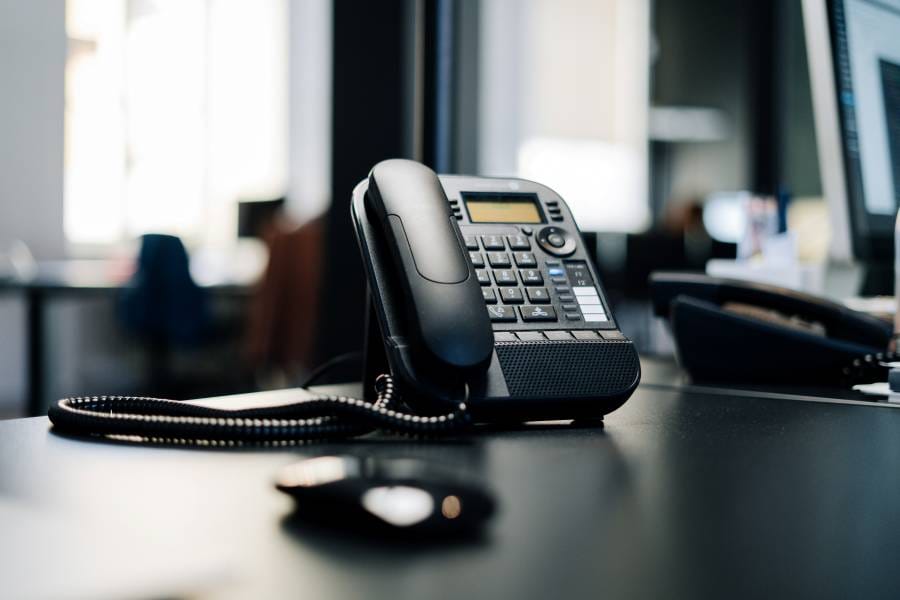


4 Hidden Costs of Legacy Desk Phones
By: Derek Harris | Dialvice CEO | 30+ years’ experience
👉 5 mins saves you 15+ hours!
Updated August 12, 2026
The money pit sitting on your desks
Take a walk around your office floor. How many of those heavy multi-button desk phones actually get used during a given workweek? For most companies, the answer is startlingly low.
Employees naturally default to softphone apps on laptops or mobile devices, powered by a modern cloud phone system. This makes physical desk phones redundant for most roles.
Yet, month after month, finance departments continue paying for physical hardware leases, power consumption, licensing overhead, and specialized PBX maintenance.
What looks like harmless existing hardware is quietly siphoning off operational budget.
———————
👉 See our complete cloud phone system guide and uncover the 5 hidden costs of on-prem phone systems.
Buyer’s shortcut 🔥
Skip the research, sales pitch & spam.
Take the Dialvice 5-Minute Quiz to find your precise Cloud Phone System.
75% of buyers prefer a “rep-free” experience, Gartner.
Key Takeaways & Quick Links
- PoE & Energy Waste: Idle IP desk phones continuously draw PoE power, straining UPS batteries and HVAC systems.
- Licensing Traps: Vendors charge mandatory seat fees and firmware contracts on phones nobody uses.
- Hybrid Disconnect: Tying remote staff to desk extensions causes missed client calls and unread voicemails.
- E911 & Security Risks: Unmapped desk phones violate RAY BAUM’S Act emergency location requirements.
- 4-Step Hardware Audit: A 90-day CDR log audit identifies idle hardware and eliminates waste.
Professional Services scenario: A financial firm’s 42% savings
A mid-sized wealth management firm in Charlotte with 85 employees maintained a physical desk phone at every cubicle.
Following a shift to a 3-day hybrid office policy, over half those desks sat vacant daily.
A quarterly audit revealed they were paying $35 per user monthly for physical phone software licenses, plus an annual $4,200 maintenance agreement on idle hardware.
Meanwhile, client calls routed to physical extensions were going straight to unmonitored voicemails.
By transitioning 80% of staff to softphone apps, they slashed telecom expenditures by 42% and instantly improved client response times.
1. Unseen Power & PoE Utility Overheads
Leaving idle desktop phones plugged into network switches creates a continuous, invisible draw on your building’s electrical infrastructure and backup power systems.
The Cumulative Wattage of Idle Hardware
A single modern VoIP desk phone equipped with a color display draws between 3.8 to 7.5 watts of power continuous via PoE (Power over Ethernet).
While a few watts sound trivial for a single desk, scaling across an organization reveals the hidden overhead:
- 1,000 watts continuous draw: 200 phones × 5W average power draw operating 24/7/365.
- 8,760 kWh annual waste: Yearly baseline electrical consumption purely to keep idle, unused screens powered.
Impact on UPS battery backups and thermal loads
That power draw doesn’t just show up on your electric bill; it directly strains network closet infrastructure.
PoE switches draw increased power from Uninterruptible Power Supply (UPS) units, significantly reducing battery backup runtime during power outages.
This continuous draw also generates extra server room heat, forcing HVAC systems to work harder to keep equipment cool.
💡 Derek’s Pro Tip: Use Energy Efficient Ethernet rules on your switches to shut off PoE power to idle desk phones after hours. Better yet, eliminate unnecessary physical hardware entirely.
2. Licensing, maintenance, & hardware lock-in
The purchase price of a handset is only a fraction of its total cost. Recurring software assurance, seat fees, and support contracts quickly outpace initial hardware expenses.
Legacy telecommunications vendors built their business models on physical endpoint lock-in.
Whether tied to an aging on-prem PBX or a cloud contract, deploying physical desk phones commits your organization to extra per-device seat licenses, hardware maintenance agreements, and provisioning labor.
These recurring expenses apply regardless of whether those phones actually get picked up or sit untouched on empty desks.
| Expense | Desk Phone | Softphone |
|---|---|---|
| Upfront Cost | $150 – $350 per handset | $0 (Uses existing PC/Mac/Mobile) |
| Device Seat Fee | $5 – $15 / mo per endpoint | Included in standard user license |
| Maintenance | 10% – 15% annual MSRP contract | Automatic cloud updates included |
| Provisioning | Physical patching, MAC & port fees | Instant provisioning via SSO portal |

3. Operational friction & hybrid disconnect
Physical hardware anchors business communications to a specific desk, creating immediate bottlenecks for distributed teams and mobile workers.
The “two extension” communication gap
In a flexible work environment, forcing employees to manage both a desk phone and a laptop application creates communication silos.
When an employee is away from their desk, calls made to their physical extension often go unanswered or land in isolated voicemail inboxes that aren’t checked regularly.
Loss of contextual features
Physical desk phones isolate voice conversations from the rest of your business infrastructure. When an employee takes a call on an analog handset, they are forced to manually type notes or look up customer data elsewhere.
Softphones powered by UCaaS platforms seamlessly integrate with your CRM, instant messaging, screen sharing, and click-to-dial tools. This eliminates daily workflow friction while doubling employee productivity.
💡 Derek’s Pro Tip: For executives who demand physical devices, swap dedicated IP phones for noise-canceling USB/Bluetooth headsets or speakerphones. They cost far less and work natively with softphones.
4. Security vulnerabilities & E911 compliance risks
Legacy desk hardware sitting on unmonitored switch ports introduces significant network security exposure and severe emergency dispatch compliance liability.
E911 dispatchable location liability
Under RAY BAUM’S Act, emergency services must receive a caller’s exact “dispatchable location” (building, floor, suite).
When hybrid employees move physical IP phones between desks or home offices without IT re-provisioning—911 calls route emergency responders to the wrong location.
Unpatched firmware security holes
Discontinued or aging IP desk handsets rarely receive vendor security updates. When manufacturers stop supporting older hardware models, security vulnerabilities go unpatched indefinitely.
This leaves your local network exposed to bad actors who can exploit open SIP vulnerabilities to execute toll fraud, intercept internal communications, or gain lateral entry into corporate data networks.
💡 Derek’s Pro Tip: During your hardware audit, check for desk phones running end-of-life firmware. If the vendor no longer releases security patches, disconnect the phone immediately to protect your network.
Conducting a desk phone utilization audit
Before renewing your next hardware lease or PBX maintenance contract, run this straightforward audit across your office:
- Pull Call Detail Records (CDR): Analyze 90 days of call logs to flag physical desk extensions with zero inbound or outbound activity.
- Categorize role-based needs: Divide staff into “Softphone Only” (knowledge workers, remote staff, sales) versus “Dedicated Hardware” (receptionists, lobbies, common areas).
- Reclaim and reallocate: Unplug idle hardware, cancel per-device seat licenses, and migrate users to mobile and desktop apps.
Stop paying for empty desks
Physical desk phones had a great run, but keeping hundreds of plastic handsets plugged in purely out of habit makes no financial sense.
Uncovering and eliminating the hidden costs of idle hardware allows you to streamline your communications, lower utility and licensing costs, and provide your team with modern tools built for modern work.
Still shopping for the exact Cloud Phone System? Start here 👇
Frequently Asked Questions
Should we completely eliminate physical desk phones in our office?
Not necessarily 100%. While 80% to 90% of office staff thrive on softphones, physical phones remain useful in common areas like building lobbies, breakrooms, warehouse floors, or high-volume reception desks.
Do softphones work if local office internet goes down?
Yes. Softphone apps running on smartphones (iOS/Android) automatically failover to cellular data networks if office Wi-Fi drops, providing reliability that traditional desk phones tied to office wiring cannot match.
What happens to our existing physical IP phones if we switch to softphones?
Unused IP handsets can be factory reset and sold to certified refurbishers, donated, or recycled through e-waste programs. Compatible SIP-standard phones can also be kept as spare backup hardware.
How do softphones handle emergency E911 compliance for remote workers?
Modern softphone platforms use Dynamic E911 to automatically update an employee’s location based on their connected Wi-Fi or IP address, keeping your organization 100% compliant with RAY BAUM’S Act.
Notice: For informational purposes only. Emergency systems must be installed by certified professionals to ensure local code compliance.
