


Legacy & IP PBX Phone Systems: 10 Hidden Costs
By: Derek Harris | Dialvice CEO | 30+ years’ experience
👉 5 mins saves you 15+ hours!
Updated June 2, 2026
Growth doesn’t fit in a server closet
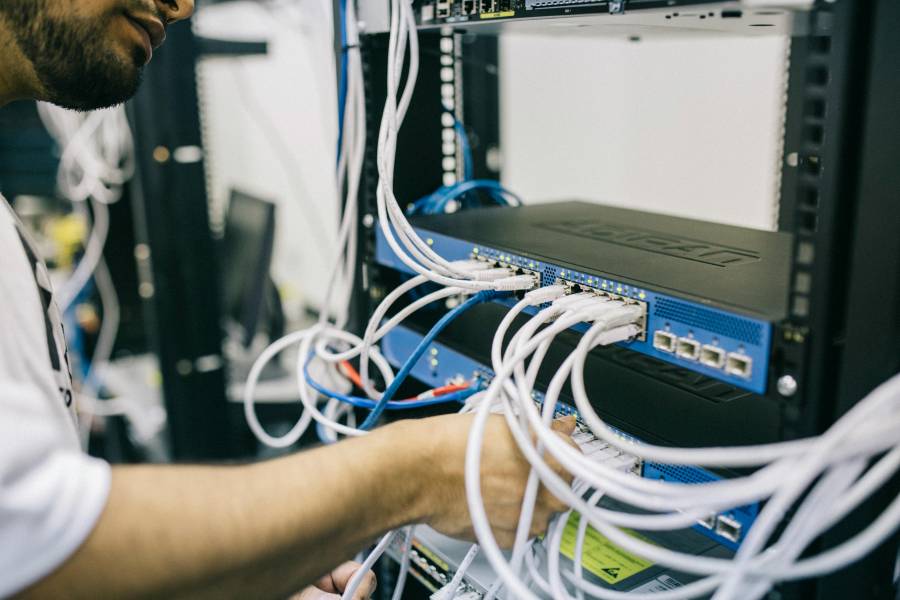
If you are still housing a humming, blinking box in your server closet, you aren’t just running an outdated phone system. You are bleeding capital through a thousand tiny “compatibility” cuts.
At Dialvice, we believe the cost of a legacy PBX isn’t found on a single invoice. It’s hidden in the talent you can’t hire, the security patches you can’t run—and the customers who hang up because your call menu feels like a relic from the dial-up era.
To stay competitive, most firms are migrating to a modern Cloud VoIP Phone System—a move that replaces physical hardware with digital agility.
———————
👉 After learning the top 10 hidden costs below, be sure to see our Complete Cloud Phone System Guide to get a complete transition overview.
Buyer’s shortcut 🔥
Skip the sales pitch & spam.
Take the Dialvice 5-Minute Quiz to find your precise Cloud Phone System.
75% of buyers prefer a “rep-free” experience, Gartner.
Key Takeaways & Quick Links
Maintaining an old-school phone system is an exercise in diminishing returns. The core financial drains include:
- Hardware Risks: High maintenance costs and the danger of total business blackouts
- Licensing Waste: Paying for “zombie” seats for employees who left months ago
- Security Nightmares: Vulnerability to fraud that can bankrupt a small firm overnight
- Copper Tax: Massive price hikes on old-fashioned lines
- Talent Barrier: Losing out on remote hires due to hardware limitations
1. The hidden tax of “owning” your hardware
Most small business owners choose a legacy PBX because they want to own their assets. You pay once, and you’re done, right? That is the biggest myth in telecom.
Owning hardware is less like owning a car and more like owning a pet that requires a specialized, $250-an-hour veterinarian every time it sneezes.
- Why it matters: When you own the hardware, you own the risk. If a power surge fries a circuit board, your entire sales floor goes dark. The impact isn’t just the repair bill; it’s the four hours of missed leads while you wait for a technician.
How to audit your true hardware spend: Calculate your “All-In Maintenance” score. Add up your service contract, the electricity used to cool the server room, and the cost of spare parts.
Most businesses find that their “free” system actually costs $400 monthly just to keep the lights green.
The edge case: If you operate in a high-security facility with zero external internet connectivity, a closed-loop legacy system is actually your best friend. In that world, the cost of “unplugged” security outweighs the efficiency of the cloud.
👉 Is your hardware a ticking time bomb? Use our PBX Audit of 5 hidden on-premises costs to run a line-by-line diagnostic on your server room
2. The “Zombie License” drain on your margins
IP-PBX licensing is often a labyrinth of “per-feature” add-ons. Unlike modern systems, these legacy licenses remain active—and billable—long after an employee has left the company.
- Why it matters: Legacy models force you to pay for static capacity rather than actual usage. “Ghost” subscriptions for former employees lead to thousands in annual losses for small businesses.
How to perform a “Kill-Switch” audit: Cross-reference your system’s user list with your current payroll. Identify “Generic Station” charges or unassigned extensions. If there isn’t a human attached to the license, delete it immediately.
3. The technical debt of “Vendor Lock-In”
Legacy systems thrive on proprietary ecosystems. You can’t just buy a standard headset and expect it to work. You are forced to buy the vendor’s specific “certified” hardware, which usually carries a 40% markup compared to standard devices.
Gartner suggests that “locked” ecosystems eventually force businesses into expensive, premature overhauls.
- Why it matters: This creates a cycle of technical debt. You want to upgrade your team to better noise-canceling headsets, but your phone system requires an outdated adapter no longer in production.
4. The astronomical cost of “Truck Rolls”
The pool of technicians who understand physical phone wiring is shrinking. When you need to move a phone to a new desk or add a new line, you have to schedule a “truck roll”—sending a guy in a van to your office.
- Why it matters: A standard visit now starts at $150 to $300 before they even open their toolkit. Waiting three days for a tech to “set up a line” means your new hire is sitting idle, unable to make sales calls.
💡 Derek’s Pro Tip: If you’re stuck on legacy for now, train one office ” Super-User” on the basic admin console. If you can change a voicemail password or an extension name yourself, you’ll save thousands in service calls over the next year.
5. Integration friction and the “Data Silo” penalty
Modern business runs on data. Your phone system should talk to your CRM, your Slack, and your email. Legacy systems are “Data Silos.” They know a call happened, but they don’t tell your other software who called or what they wanted.
Harvard Business Review on the cost of employee context-switching notes that manual data entry is one of the biggest drains on mental energy and productivity in the modern workplace.
- Why it matters: The cost here is “busy work.” Your employees spend 15 minutes after every call manually typing in notes that a modern system would have captured automatically.

6. Energy consumption and the “Silent” utility bill
We rarely think about the power draw of a server rack, but a legacy cabinet and its cooling fans are energy hogs.
- Why it matters: You are paying to air-condition a room 24/7 just so your phones work for 8 hours a day. Cloud Phone Systems shift this burden to “Hyperscalers” like AWS, Microsoft Azure or Google Cloud.
7. Security vulnerabilities and the “Toll Fraud” nightmare
Legacy systems are the primary target for “Toll Fraud.” This is when hackers find a hole in your security, gain access, and use your lines to make thousands of international calls to expensive “premium-rate” numbers.
The FCC guidelines on VoIP security and preventing unauthorized access warn that many small businesses are unprepared for the sophistication of modern telecom hacking.
- Why it matters: Imagine walking in Monday morning to a $10,000 phone bill. The carrier doesn’t care that you were hacked; you “used” the lines, so you owe the money.
How to protect yourself:
- Disable “International Dialing” for all non-essential phones.
- Change your “System Admin” password from the factory default (e.g., 1234).
- Get a complete cybersecurity audit.
8. The “Copper Sunset” and the 500% price spike
Due to the FCC “copper sunset” mandate, if your “IP” system still uses traditional analog lines (POTS) for emergency backup or fax, you are sitting on a financial time bomb.
Carriers like AT&T and Verizon are aggressively shutting down these old copper networks— and many small businesses are turning to a digital POTS Replacement solution.
- Why it matters: The price of a single old-fashioned phone line has jumped toward $500 per month. As the user base shrinks, the remaining customers may bear the entire cost of maintaining their aging infrastructure.
👉 Struggling line costs or safety concerns? Read our guides PRI vs. SIP Trunking price audit and POTS Replacement for Alarms & Elevators.
9. The talent acquisition barrier
The best employees don’t want to spend two hours a day in traffic. Legacy systems are “location bound.” While some can do “remote work,” the apps are usually clunky, the audio drops out, and it’s a headache for your IT person to set up.
Forbes articles on the remote work landscape emphasize that flexibility is no longer a perk—it’s a requirement for top-tier talent.
- Why it matters: If you can only hire people who live within 20 miles of your office, you are paying a “Local Talent Tax.”
💡 Derek’s Pro Tip: Don’t just look at the monthly cost of a new system. Look at the “Hiring Flexibility.” If a cloud system lets you hire a superstar remote assistant for $5/hour less than a local hire, the phone system pays for itself in the first month.
10. The “Dead Data” penalty (Missing the AI Wave)
We are firmly in the age of AI. Modern AI-powered cloud phone systems now offer “Conversation Intelligence”—AI that automatically summarizes your calls and tells you if a customer was happy or frustrated.
Legacy systems produce “Dead Data”—audio that goes into a hard drive and is never heard again.
- Why it matters: The real kicker is the missed revenue. While your competitors are using AI to see that “30% of callers are asking about a specific new service,” you are flying blind. Ignoring these data streams may result in lost market share.
💡 Derek’s Pro Tip: Most AI tools require a clean digital stream. If your legacy system uses old-school compression on ancient lines, the audio quality will be too muffled for AI to transcribe it accurately. You can’t analyze what you can’t hear.
👉 Ready to see the real-world math? Check out our comparison of Hosted PBX Pricing vs. On-premises phone systems.
Conclusion: Shattering the “Outage” myth
The “internet outage” fear is an expensive relic. Cloud Phone Systems are more resilient than physical hardware because they aren’t tethered to a single wire in the street.
- Triple Redundancy: If your fiber blinks, your system instantly flips to 5G or satellite backups.
- The “Pocket Office”: Total power failure at HQ? Your team stays live and reachable on mobile apps.
- The Backhoe Test: A cut cable kills a legacy system and severs an IP-PBX’s connection (SIP Trunks) for days. A Cloud system doesn’t even blink—it just reroutes.
Stop Paying the “Legacy Tax”: Your phone system is either a growth engine or a drain on your margins. Every month spent patching an aging PBX is capital lost to security risks, missed AI insights, and restricted hiring.
Moving to the cloud isn’t just an IT upgrade—it’s a strategic exit from the server closet. Audit your bills, cut the technical debt, and give your business the flexibility it needs to compete.
Frequently Asked Questions (FAQ)
Is “IP PBX” the same as “Cloud Phone”?
No. IP PBX is a server you own. A Cloud Phone System (UCaaS) is a service you subscribe to where someone else handles the technical “guts.” Also, see our Cloud Phone System vs UCaaS page.
Can I keep my old desk phones?
If they are standard “SIP” phones, yes. If they are branded (like old Nortel or Avaya), they are likely locked to your old system.
How long does it take to switch?
For a small team, you can be up and running in 48 hours. Moving your actual phone numbers usually takes about two weeks.
Will my call quality get worse?
Only if your internet is bad. Modern systems use very little bandwidth (90 kbps per call)—less than what it takes to watch a YouTube video.
What about my fax machine?
You can use an adapter to keep it, but most businesses now use “eFax” (faxing through email) to save money.
Is the cloud safe?
Yes. Big providers spend millions on security. Your server closet is much easier to hack.
Do I need an IT person for the cloud?
No. If you can use a smartphone or a basic website, you can manage a cloud system.
What is a “Softphone”?
It’s just an app on your computer or mobile phone that acts exactly like a desk phone.
Can I connect my phones to my CRM?
Yes. Most cloud systems link to Salesforce or HubSpot with one click.
What is the first step?
Find your last three phone bills. Look for “Service Fees” and “Maintenance”—that’s where the hidden costs are hiding.
Continue your research:
👉 10+ Cloud VoIP Features Small Businesses Must Have
Notice: For informational purposes only. Emergency systems must be installed by certified professionals to ensure local code compliance.
