


POTS in a Box vs ATA: Best Life-Safety Hardware
By: Derek Harris | Dialvice CEO | 30+ years’ experience
👉 5 mins saves you 15+ hours!
Updated October 14, 2026
A $40 adapter can be million-dollar liability
As a facility manager for a high-rise, you just got hit with a $1,200 monthly bill for two copper lines.
To save the company $14,000 a year, you buy a $40 “Analog Telephone Adapter” (ATA) on Amazon.
You plug it in and hear a dial tone. It must be working, right? Wrong.
Fast forward three months: A fire breaks out. Your $40 adapter “smushes” the digital tones to save bandwidth, and the signal never reaches the monitoring station.
Forensic investigators won’t see a “clever cost-cutting measure.” They’ll see non-compliant hardware that failed during a crisis.
This is the gap between a cheap ATA and a true POTS Replacement solution. One is a toy; the other is a life-safety appliance.
———————
👉 See our Complete Phone System Guide for your voice lines and our POTS Replacement Guide for the rest.
Buyer’s shortcut 🔥
Skip the sales pitch & spam.
Take the Dialvice 5-Minute Quiz to find your precise Cloud Phone System.
75% of buyers prefer a “rep-free” experience, Gartner.
Key Takeaways & Quick Links
- Data Integrity: ATAs are built for voices; managed bridges are built for precise machine-to-machine alarm data.
- Dual-Path Redundancy: Managed hardware uses dual-SIM LTE/5G to send signals even if the building’s internet goes dark.
- UL Compliance: Without UL 864 or UL 1610 listings, your hardware is likely illegal for fire and elevator use.
- Active Supervision: Life-safety codes require a “heartbeat” signal. Unmanaged ATAs fail silently without warning.
- Integrated Alerts: Modern bridges can sync with your cloud phone system to trigger building-wide emergency pages.
- Voltage Reliability: Managed units prevent “Trouble” errors and expensive re-inspection fees by providing consistent line voltage.
Self-storage scenario: The $80,000 “Zombie” line trap
A storage facility in Georgia tried to save money by moving their gate intercom and fire panel to a standard ATA. It worked—until it didn’t.
At 2:00 AM, the local ISP performed routine maintenance, cutting the fiber line for two hours. During that window, a burglar tripped the alarm.
Because the ATA relied 100% on the building’s internet, the system went “dark.” There was no cellular backup to take over. Even worse, the ATA lacked “Supervised” signaling, so the monitoring station never received a “link lost” alert.
The facility was looted. The insurance claim was denied because the communication path failed to meet NFPA standards. They saved $100 a month but lost $80,000 in inventory and coverage.
ATA: Why “Good Enough” isn’t enough for life-safety
An Analog Telephone Adapter (ATA) was never meant for elevators or alarms. It was designed to connect standard analog phones to a modern Cloud Phone System (VoIP).
Its primary job is Voice Compression. It strips out frequencies the human ear doesn’t need to save data.
The Problem? Fire panels and elevator dialers communicate using precise frequency tones (DTMF). When an ATA compresses those tones, it creates jitter and latency. The monitoring station receives a garbled mess instead of an emergency code.
If you’ve ever seen a “Failure to Communicate” (FTC) error on your fire panel, an ATA is almost always the culprit. It might work nine times out of ten, but in life-safety, that tenth time is the only one that matters.
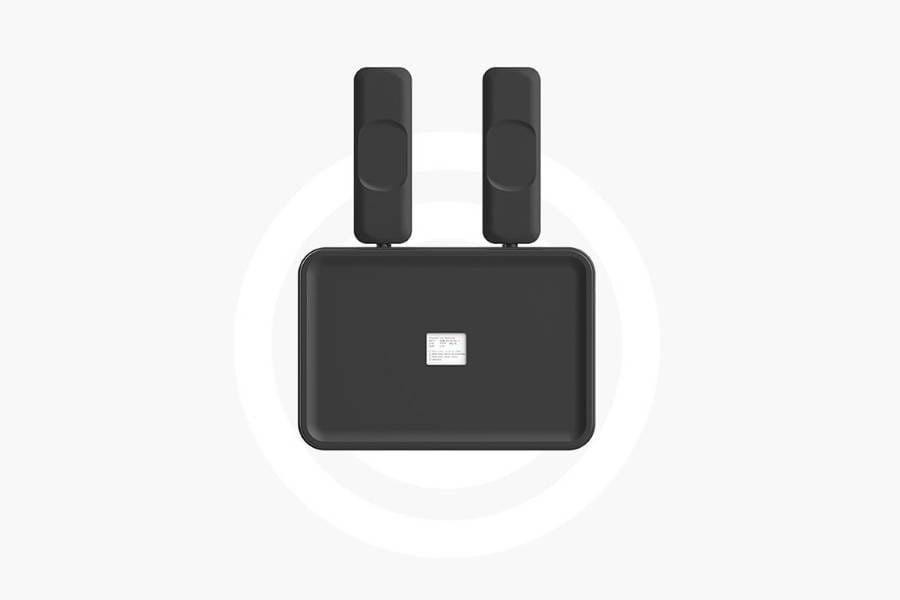
💡 Derek’s Pro Tip: If your device is the size of a deck of cards with a flimsy power brick, it’s an ATA. Get it away from your fire panel. A compliant bridge is usually the size of a shoebox, housed in metal, with its own battery backup.

POTS in a Box: The Managed IP Bridge advantage
A “POTS in a Box” (PIAB) is a ruggedized, managed appliance. Unlike an ATA, it doesn’t treat your alarm signal like a casual phone call—it treats it like mission-critical data.
These units are engineered to emulate the exact electrical voltage and impedance of a legacy copper line. They are part of a broader Connectivity strategy that doesn’t just “adapt” the signal; it manages it.
If the unit detects internet lag, it automatically shifts your alarm data to a high-priority cellular lane. This ensures the “Handshake” between your building and the monitoring station happens in milliseconds, every single time.
POTS in a Box Features
- Dual-Carrier SIMs: Automatically switches between AT&T and Verizon if a tower goes down.
- Onboard Logic: Capable of “re-dialing” and clearing the line if it detects a signal collision.
- Rugged Enclosure: Built to withstand the heat and dust of a non-air-conditioned boiler room.
- NEMA Certified: Ensure internal electronics are shielded from electrical interference.
👉 Related read: Dual-SIM POTS Replacement Cellular Line Fees
UL 864 & UL 1610: The law of the land
If you’re comparing hardware, you need to look at the stickers. Underwriters Laboratories (UL) has specific tests for equipment that handles fire signals.
- UL 864 (Fire Safety): The gold standard for fire alarm signaling. It ensures the device stays operational during extreme heat and power surges.
- UL 1610 (Security Monitoring): The requirement for central-station burglar alarms. It ensures the “heartbeat” connection is secure and tamper-proof.
According to recent CISA guidelines on resilient communications, using non-certified hardware in critical infrastructure is a leading cause of system failure.
An ATA will never have a UL 864 listing. It isn’t built to survive a fire or a massive power surge.
A POTS in a Box unit, however, is engineered to keep signaling even while the building around it is experiencing a disaster.
The Bottom Line: If your insurance company or the local Fire Marshal conducts an audit, the absence of that UL sticker is an automatic “Fail.”
The hidden cost of “Unmanaged” hardware
The “Managed” part of a POTS in a Box is just as important as the hardware. When you buy an ATA, you’re on your own. If it freezes or the internet drops, nobody knows until your next inspection—or your next emergency.
With a managed solution, the device is “pinged” by a Network Operations Center (NOC) every few minutes. If the unit loses power or signal strength drops, a ticket is generated immediately.
This “Supervision” is a core requirement of NFPA fire codes. It turns your emergency communication from a “hope and a prayer” into a supervised utility.
💡 Derek’s Pro Tip: Cheap ATAs let carriers off the hook for reliability. With a managed bridge, uptime is the provider’s responsibility. Always demand an SLA that guarantees 99.9% uptime or better.
👉 Related read: POTS in a Box Equipment Lease Costs
Integrated safety: Cloud Phone System sync
While these units are built for machine data—the best ones “talk” to your modern Cloud Phone System or UCaaS solution.
For example, if an elevator phone is picked up, the bridge can be configured to call 911 and simultaneously trigger an emergency alert across every desk phone in the building.
This creates a “Smart Building” effect. Instead of the elevator being an isolated “dark” wire, it becomes part of your facility’s total communication ecosystem.
This is the ultimate evolution: moving from legacy “zombie” lines to an integrated Cloud Phone System strategy.
Edge case: Voltage-sensitive dialers
Some legacy fire panels—especially those from the 1990s—are incredibly picky about “Loop Current.” They need to “see” a specific electrical load to believe the line is alive.
Cheap ATAs often output low voltage, which triggers a permanent “Trouble” state on the panel, even if the line technically works.
Managed bridges feature adjustable voltage regulators that can be tuned to satisfy even the most sensitive legacy hardware.
This technical nuance is often missed by standard IT shops, but it’s the difference between a clean inspection and a $500 re-inspection fee.
👉 Related read: VoIP FXS Loop Current: Gateway Costs & Fixes
The bottom line: Compliance vs. Convenience
The choice between an ATA and a POTS in a Box isn’t really a choice at all—it’s a matter of compliance and survival.
If you are moving a “convenience” line like a kitchen wall phone, an ATA is fine.
But for elevators, fire alarms, and life-safety systems, you need a managed bridge that meets the rigorous standards of modern code.
Don’t let a $40 adapter put your entire property at risk.
Need POTS Replacement quotes for non-voice lines only? Contact us
Still on voice lines, PRI/T1s or SIP Trunks? Start here 👇
Frequently Asked Questions
Can I use a standard router instead of a POTS in a Box?
No. A standard router doesn’t have FXS ports to convert analog signals, nor does it have the battery backup or specialized signaling logic required to talk to an alarm panel.
Why do I need two SIM cards?
One is for primary cellular backup, and the second is for “Carrier Redundancy.” If the local AT&T tower gets struck by lightning, the box instantly flips to Verizon. This is a requirement for many high-level life-safety certifications.
How do I know if I have an ATA or a POTS box?
Look at the power source. If it’s a small “wall-wart” plug, it’s likely an ATA. If the device is inside a metal enclosure with a heavy internal battery and a hardwired power connection, you have a managed bridge.
Will an ATA work for my fax machine?
Sometimes, but it’s unreliable. Faxes use “T.38” protocol, which many cheap ATAs struggle to handle consistently. You’ll find that multi-page faxes often “drop” midway through on an ATA.
Is the hardware included in the monthly fee?
Most of the time, yes. You my prefer the “Equipment as a Service” (EaaS) model. This means you don’t have to pay $1,000 upfront for the box. It’s included in your monthly service contract.
What happens to the box if I cancel my service?
Since the hardware is usually “Managed” and provided as part of the service, you typically return the box if you cancel. However, the savings are so significant that most businesses stay with the solution for the long haul.
Continue your research:
👉 Fix Elevator Ring-Down & VoIP Signal Errors
Notice: For informational purposes only. Emergency systems must be installed by certified professionals to ensure local code compliance.
